Prompt
Try a Men’s Haircut Before You Sit in the Chair
Prompt
{
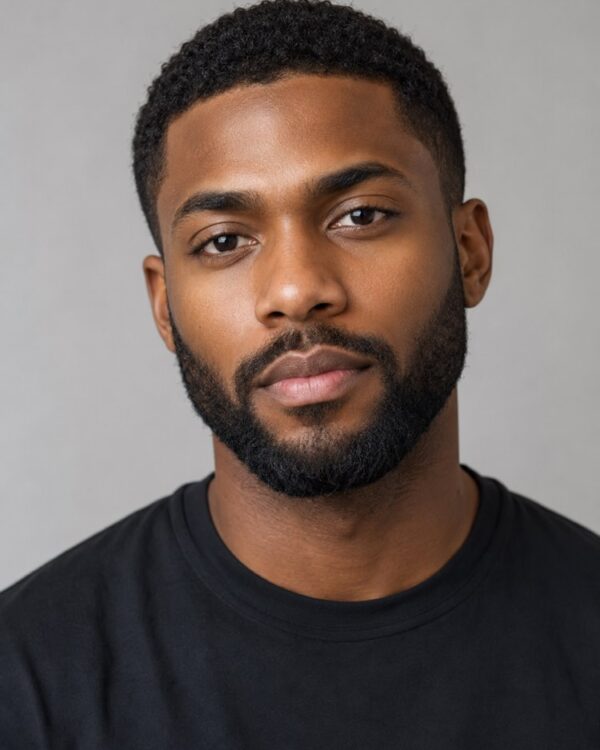
"instruction": "Send a sharp photo of your face, front-facing and well lit, and generate the image preserving your features 100%.",
"transformation": "Apply a modern men's undercut, with low faded sides and volume on top swept to one side, keeping the natural colour of the hair from the photo and a clean, tidy finish.",
"preserve": "keep the face, the skin tone, the eyes, the existing beard and the features identical; change only the cut of the hair.",
"style": "Realistic portrait photography, soft even light, neutral studio background, high definition, 3:4 ratio (portrait).",
"negative": "no distorting the face, no changing the identity, no text, no watermark"
}
How to use
Want to try a men's haircut before you sit in the barber's chair? This prompt runs in the image generators that accept your photo, such as Gemini, NanoBanana or ChatGPT, and applies the new cut to your own face while preserving your identity. 1. Pick a front-facing photo of your face, in good light and with the hair visible. 2. Open the AI, paste the prompt and attach your photo. 3. Ask it to keep your features and your beard completely, changing only the cut. 4. Generate the image and swap the undercut for another style in the transformation if you like (side part, comma hair, buzz cut). 5. Create a few variations to compare volumes and sides. 6. Save the best version to show your barber. Worth remembering that the result is a visual simulation: it is there for you to picture the cut, not to turn you into someone else.
Works with
ChatGPT
Gemini
NanoBanana
Rate this prompt
📋 Featured in these lists

📖 From the Prompteiro blog
See all posts →
Job Interview Simulator With AI: How to RehearseText · September 24, 2026

Travel Itineraries With AI: The Guide That WorksText · September 21, 2026

Travel Photo Prompts: You Anywhere in the WorldImages · September 19, 2026

Professional Product Photos With AI: The GuideImages · September 15, 2026

How to Care for Plants With AI: A Black Thumb’s GuideText · September 14, 2026

Decorate Your Home With AI: From Photo to PlanImages · September 11, 2026

Colourise Black and White Photos With AI: A GuideImages · September 7, 2026

AI Headshots for LinkedIn: The Complete GuideImages · September 4, 2026
Pet Photo Prompts: How to Get It Right First TimeImages · September 1, 2026