Prompt
Pet Photo Prompts: How to Get It Right First Time
You ask for a portrait of your dog, attach the photo, and back comes a dog. Not yours: one roughly the same colour, roughly the same breed, with the wrong muzzle and a patch on its chest it never had. Your mum even says it looks like him. You look at it and you know it is not him.
That is almost never the tool’s fault. Two things decide the result, in this order: the photo you attach and the explicit instruction to preserve the animal. In the next 8 minutes you will see which photo to send, eight ready portrait ideas to copy, what usually goes wrong, and what AI handles for your pet once the photo is sorted.
The golden rule: AI does not draw your pet, it dresses it
Keep this sentence, because it explains everything that follows. The image generator does not know your mixed-breed dog. It knows “medium sandy dog”, which is an average of millions of photos, and that is what it hands you when all you do is describe. With the photo attached and the right instruction, it stops inventing and starts from the animal in front of it.
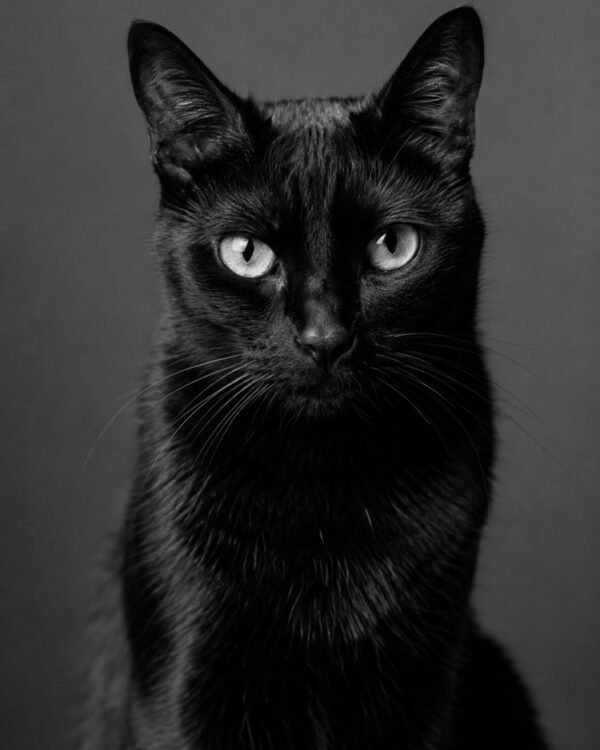
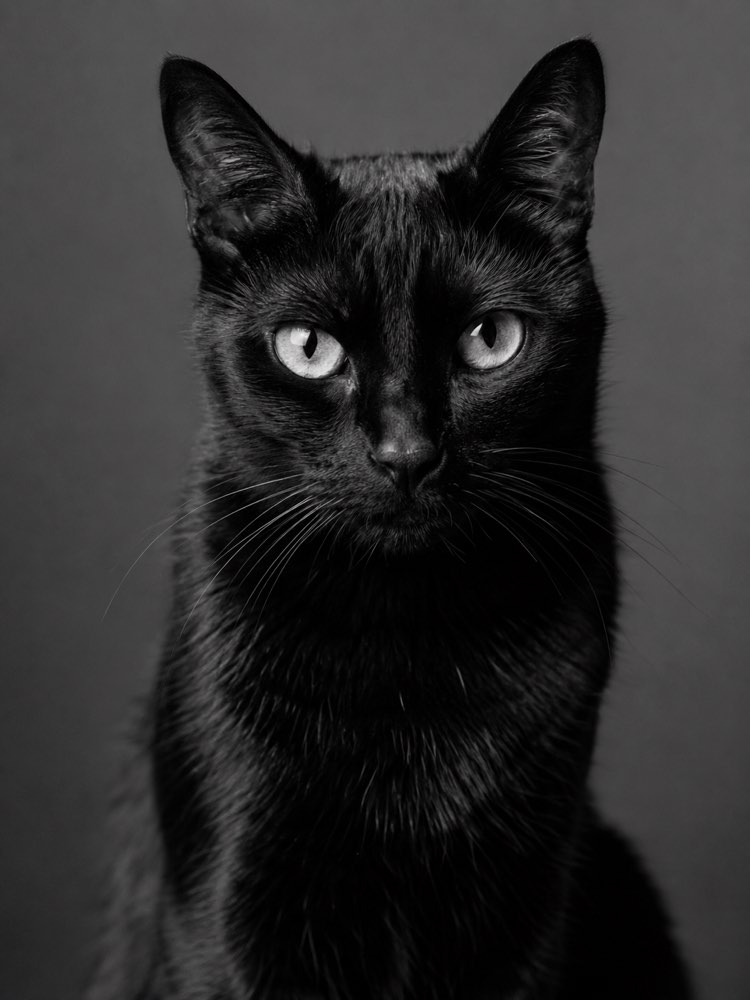
That is why every prompt on the site that starts from a photo carries a dull, repetitive block telling the model to keep the breed, the coat colour and the markings on the face. It is the part nobody reads and it is the part that saves the portrait. The Black and White Studio Pet Portrait is the cleanest example: no costume at all, just studio light and the animal, so if the likeness fails you spot it immediately.
The photo you upload decides half the job
Before you pick a style, pick the photo. A good source photo makes an average prompt work, and no prompt rescues a bad photo. What counts:
- Face on, eyes visible. A muzzle in profile or pointing down erases exactly what identifies your animal.
- Daylight, ideally near a window. Direct flash flattens the coat and eats the markings.
- Focus on the animal, not the floor. If you zoom in on your phone and the eye is blurred, the AI will guess the eye.
- One animal per photo. Two in the same frame and the AI blends them into a third that does not exist.
- No filters, no frames. A social filter changes the coat colour, and coat colour is identity.
Black cats and very dark-coated dogs need extra care, because the detail disappears into the shadow. Two photos of the same animal, one face on and one three-quarters, work far better than a single shot.
The serious portrait: what goes on the wall
This is the drawer for people who want to frame something. No costume, just the animal, well photographed.
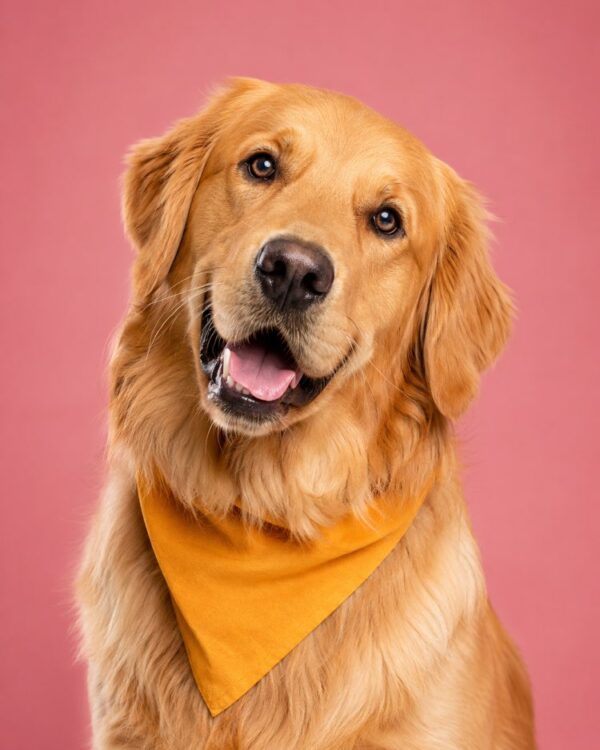
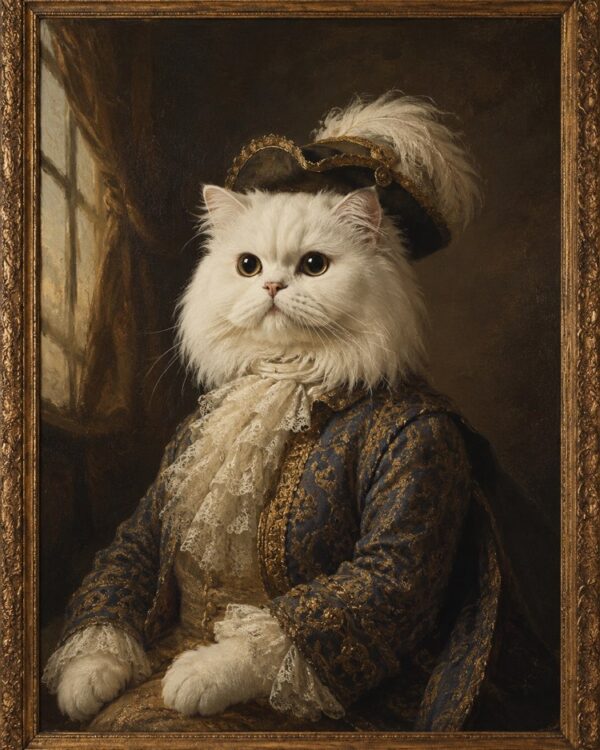
The black and white studio portrait above is the safest of the three, because black and white forgives colour and rewards coat texture. If you want colour and a magazine cover, the Pet Portrait as a Magazine Influencer gives you an editorial background and a glint in the eye, which is the look that travels on a feed. And if you want something that reads as a piece of decor, the Classical Oil Painting Pet Portrait turns your animal into an 18th century aristocrat, with visible brushwork instead of a photo finish.
Costume: what goes in the family group chat
Here the yardstick is different. Nobody asks for an astronaut cat expecting realism: they ask for a laugh in the group chat, and the return per minute spent is the best on the site.
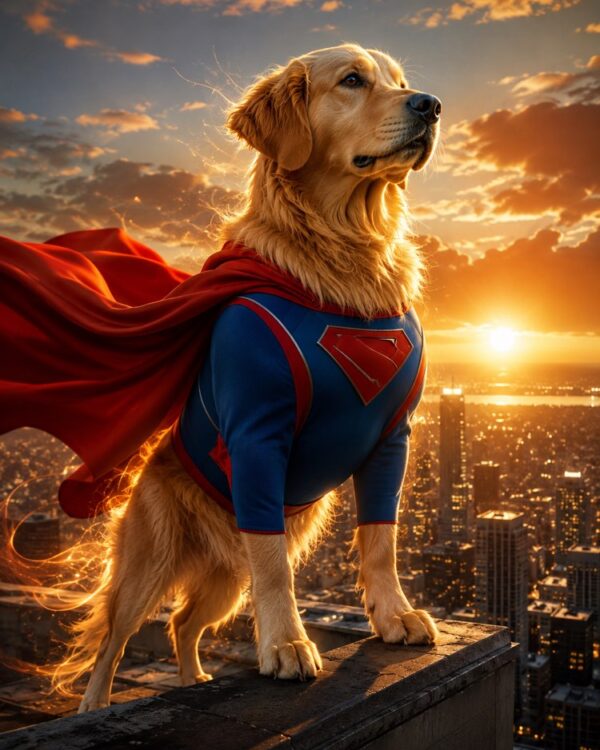
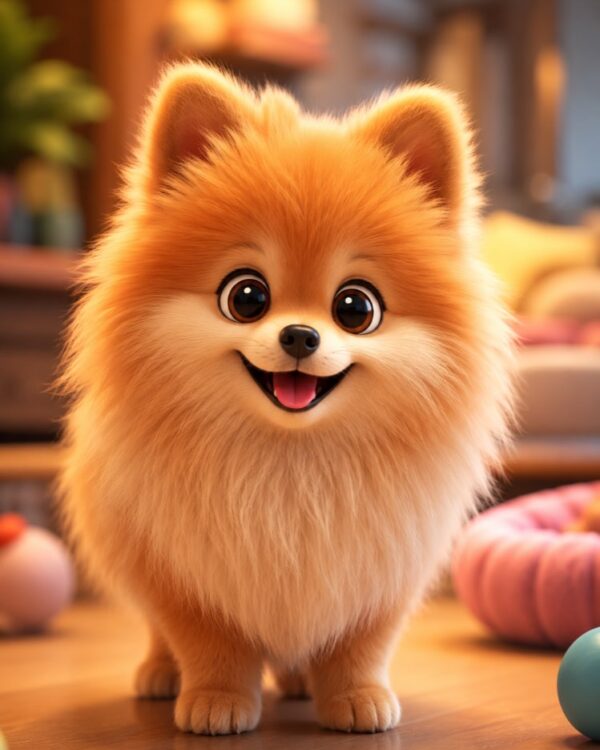
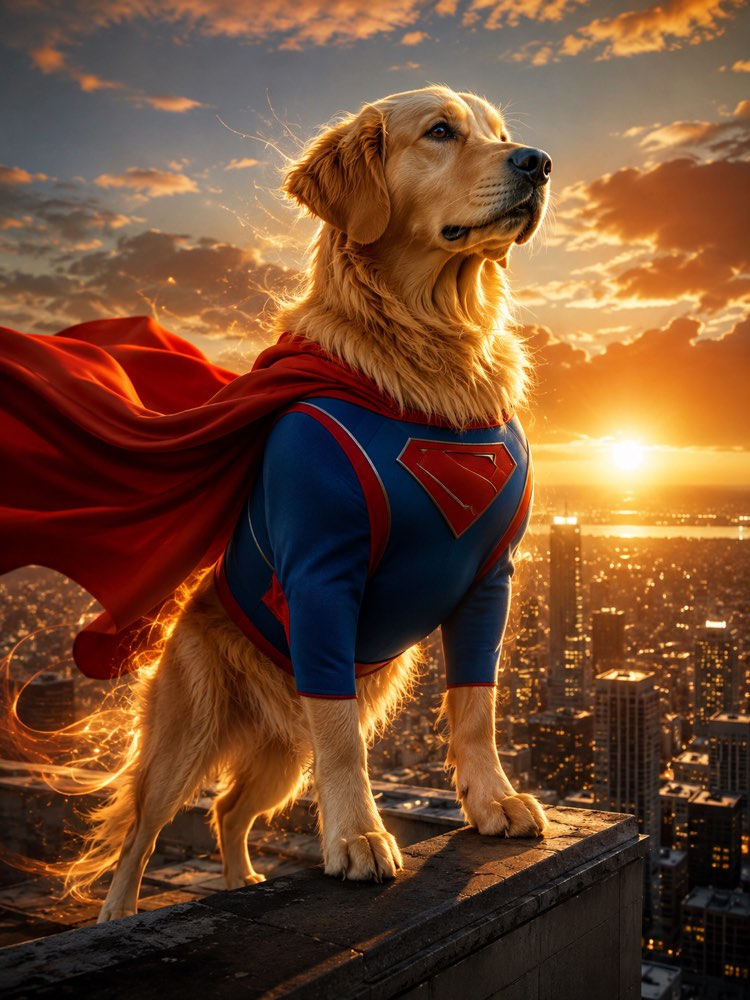
Your Superhero Pet: Epic Photo with a Cape works best with a big dog, because the heroic pose suits a broad chest. To become a character rather than a photo, Turn Your Pet Into a Cute 3D Character With AI is the direct answer to one of the most common searches on the subject, turning a pet photo into a drawing: it hands you the big-eyed 3D figure, not a photo with an effect laid over it.
The same drawer holds a chef, a noir detective, a vintage aviator, an executive in a suit, a rocker on stage, an explorer in the jungle and a king on a throne, all built the same way. It is worth opening the pets and animals hub and picking whatever suits your animal’s face, which is the criterion that lands most often.
Marked dates: birthday, graduation and Christmas
The third drawer has a deadline attached, and this is where planning a day ahead beats trying at eleven at night.
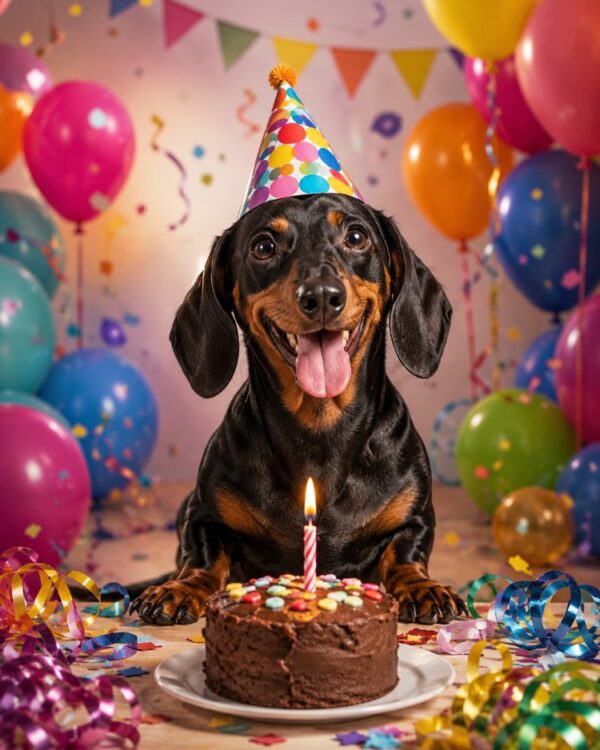
Pet birthdays are a serious business now, and Pet Birthday Photo with Cake and Balloons builds the whole scene, cake, candle and party hat included, which saves you the real production. Graduate Pet Photo with Gown and Cap is the classic end-of-training shot, and it makes a good party invitation.
For a family photo with the pet in it, one of the strongest searches on the theme, the route is different: instead of a pet prompt, use a family one that takes everybody in the same frame. The Magazine-Style Family Christmas Card does that with a tree and warm light, and the pet joins the photo as another member of the household, which is exactly how it should appear.
Which style is for which job
The choice almost always goes wrong for the same reason, which is picking the pretty style instead of the right style for the job:
| You want | Go with | What usually goes wrong |
|---|---|---|
| To frame it on the wall | black and white studio or classical oil | costume ages badly in a living room |
| To post it and get a laugh | superhero, chef, astronaut, detective | demanding a perfect likeness from a joke |
| To give it as a present | 3D character or oil painting | a blurred source photo, which shows up in print |
| To mark a date | birthday, graduation, Christmas card | leaving it to the last minute and taking the first output |
| The whole family together | a family portrait prompt, not a pet one | uploading two photos and the AI merging both animals |
When a photo prompt is not the answer
It is worth saying what the tool does not do, because that is where the frustration starts.
A costume portrait is play, not a record. If what you want is the photo of last Christmas with the animal you lost, the route is not to generate a new one: it is to restore the one that exists, and the image prompts hub has the restoration recipes for torn, yellowed and faded photos. Generating a scene that never happened tends to hurt more than it comforts.
A perfect likeness is not a realistic promise either. Mixed-breed dogs with asymmetric markings, tortoiseshell cats and long-haired dogs with two colours in the same tuft are the cases the AI gets wrong most often, and the way out is to generate three or four variations and choose, rather than arguing with the first one. The test is still the plain portrait: if the Black and White Studio Pet Portrait did not catch your animal’s markings, no elaborate scene will.
And then there is commercial use, the only one with real consequences. An AI photo to brighten up a pet shop’s profile, fine. An AI photo pretending to be the grooming result you deliver, no: whoever walks in holding that picture expects it, and the gap shows up in the first complaint.
Photo sorted. What about the rest of the week?
Whoever is looking for a photo of their animal today is the same person who will look up behaviour on Wednesday and vaccines at the end of the month. This half of the subject is text, and it is where AI stops being a toy.
The starting point is understanding the animal. Decode Your Pet’s Behaviour with AI puts the assistant in the role of an ethologist and asks one question at a time, which is what keeps it off generic advice. When the problem is the animal that wrecks the house alone, A Pet Home Alone Without Separation Anxiety, with AI builds a gradual plan measured in weeks, not a list of tips.
For the routine, three cover almost everything. A Feeding Plan for Your Pet by Weight and Age, with AI gives you the portion estimate almost nobody measures properly. The Pet Vaccine and Deworming Calendar with AI pulls vaccines, worming and flea treatment into a single calendar, which is exactly the kind of thing we forget with the best intentions. And Stress-Free Travel with Your Pet with AI returns a phased checklist, from the weeks before to the day itself, with the kit and the paperwork.
One important limit, and it applies to all of them: none of these replaces a vet. The one that says so most clearly is Foods and Plants That Are Toxic to Your Pet, with AI, which is for preventing and for knowing what counts as an emergency, not for treating at home. A symptom right now is a phone call to the vet, not a prompt.
The order that works
Put it together in one ten-minute sitting:
- Pick the photo before the style. Face on, window light, sharp eye. If you have not got one, take one now, which beats digging through the camera roll.
- Start with the portrait without costume. It is the likeness test: if the animal came out as itself in black and white, it will come out in any scene.
- Paste the whole prompt and the photo in the same message. Prompt in one, photo in the next is the most common mistake, and the result goes generic.
- Ask for variations before you start correcting. Three outputs from the same instruction solve more than ten rounds of tweaking.
- Keep the one that worked. The same source photo serves the next idea, and you skip step one entirely.
Quick questions
Which AI makes a pet photo from my own picture?
The recipes on the site are written for the assistants that take an image alongside the text, and the three they name are Gemini, ChatGPT and NanoBanana. The instruction is the same in all three, so try it in whichever you already use before installing anything new.
Do I have to pay to make an AI photo of my pet?
Not to start. Free plans usually allow a handful of generations a day, which is enough to test two or three ideas. The ceiling shows up when you want ten variations of the same scene on the same day.
Can I turn my pet’s photo into a drawing?
You can, and it is one of the most common searches on the theme. The route is the cute 3D character, which rebuilds the animal as a figure instead of laying an effect over the top. A cartoon filter tends to erase the markings that identify the animal, which is why the result looks like any dog.
Will the AI get my mixed-breed dog’s breed right?
It does not need to get the breed right, it needs to copy the photo. That is why the prompt asks it to preserve colour, markings and ear shape instead of naming a breed. A mixed breed with irregular markings is the case that most needs a few variations.
Can I use an AI pet photo for my pet shop?
To brighten up the profile and the decor, yes. To show how the grooming you actually do turns out, no, because the customer will expect that result. The rule is simple: illustrating is fine, promising is not.
What if I want the whole family in the photo with the pet?
Use a family portrait prompt rather than a pet one, and upload one sharp photo of each person. A pet prompt is written for one animal and tends to merge two of them when it gets too many photos.
Where to start today
Pick one photo of your animal and run the studio portrait before you close this page. It is the test that answers everything: if the likeness is there, the rest of the catalogue is just choosing a scene. If it is not, the problem is the photo, and two minutes near a window fixes that.
After that, the pets and animals hub holds the recipes this post cited, the text prompts hub holds the practical half of the routine, and the lesson on creating an image from a photo walks calmly through the step every prompt here starts with.