Prompt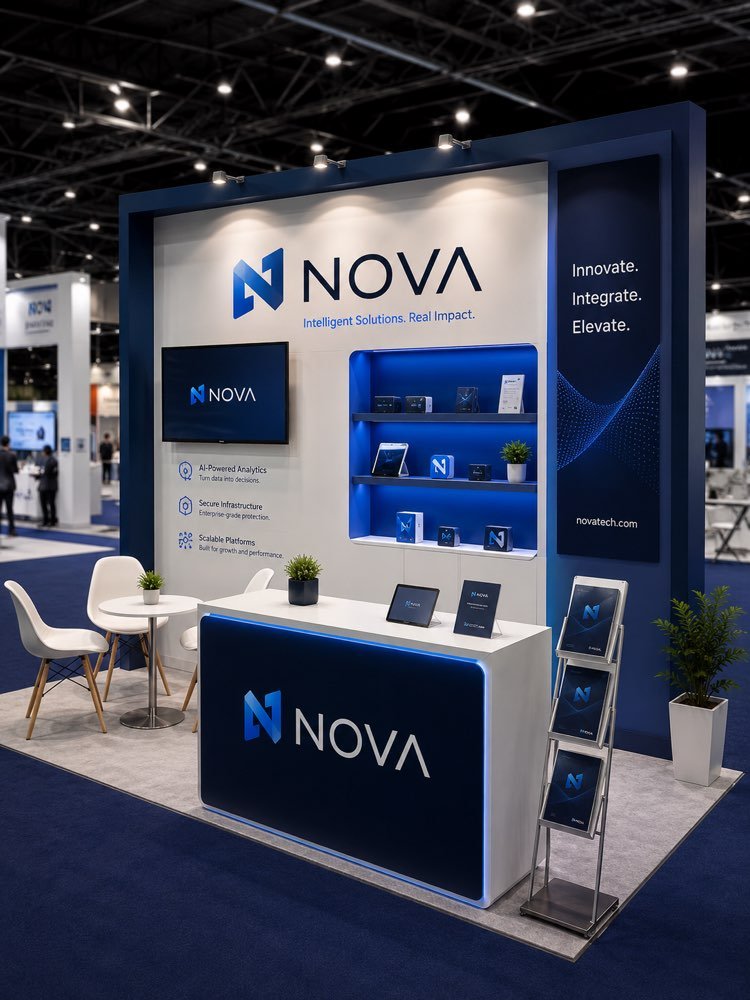
Professional Trade Fair Booth
Prompt
{
"version": "1.0",
"subject": {
"reference_image": "user_booth_or_logo",
"preserve_branding": true,
"note": "apply the user's brand/logo onto a well-designed exhibition booth"
},
"task": "professional trade-show / event booth visualization",
"booth": {
"style": "modern clean exhibition stand",
"elements": [
"backdrop wall with logo",
"counter/desk",
"product display shelves",
"spotlights",
"branded banner"
],
"materials": "premium panels, wood, acrylic"
},
"scene": {
"aspect_ratio": "3:4",
"setting": "bright convention hall",
"brand_colors": true
},
"composition": {
"three_quarter_view": true,
"booth_hero": true,
"depth": true,
"negative_space": true
},
"lighting": {
"style": "bright even hall light + booth spotlights",
"shadows": "soft",
"glow": "accent lights"
},
"quality": {
"style": [
"3D booth render / event photography",
"commercial quality",
"photorealistic",
"clean lines",
"true-to-color branding",
"sharp focus"
]
},
"negative_prompt": [
"AI artifacts",
"low quality",
"low resolution",
"blurry",
"oversaturated colors",
"plastic look",
"warped text",
"gibberish text",
"distorted logo",
"extra objects",
"watermark",
"stock photo watermark",
"harsh unnatural shadows",
"fake lighting",
"cluttered background",
"deformed geometry",
"incorrect perspective",
"crowd blocking booth",
"messy cables"
]
}
How to use
This prompt puts your logo on a well-designed trade fair booth, with a backdrop wall, a counter, display shelves and spotlights, the image that sells the stand before it is even built. It works in NanoBanana, in Gemini and in ChatGPT. 1) Send the image of your logo or a photo of your current booth along with the JSON prompt in the same message. 2) The AI builds a modern booth in a bright hall, applying your brand to the backdrop and the banners. 3) Customise the elements in "elements" and the materials in "materials" for the level of finish you want. 4) Adjust the space in "setting" and switch on "brand_colors" to pull in your brand palette. 5) Keep "preserve_branding" so the logo comes out faithfully. 6) Generate variations and pick the one with the cleanest lines and good depth. Tip: this render works as a presentation to the client and as a brief for the company that will actually build the stand.
Works with
ChatGPT
Gemini
NanoBanana
Rate this prompt
📖 From the Prompteiro blog
See all posts →
Job Interview Simulator With AI: How to RehearseText · September 24, 2026

Travel Itineraries With AI: The Guide That WorksText · September 21, 2026

Travel Photo Prompts: You Anywhere in the WorldImages · September 19, 2026

Professional Product Photos With AI: The GuideImages · September 15, 2026

How to Care for Plants With AI: A Black Thumb’s GuideText · September 14, 2026

Decorate Your Home With AI: From Photo to PlanImages · September 11, 2026

Try a Haircut With AI Before You Actually CutImages · September 9, 2026

Colourise Black and White Photos With AI: A GuideImages · September 7, 2026

AI Headshots for LinkedIn: The Complete GuideImages · September 4, 2026