Prompt
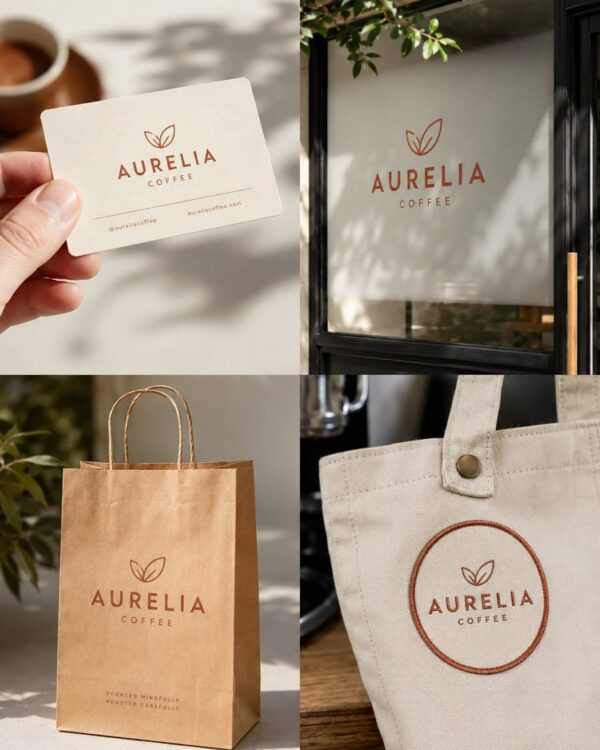
Brand Stationery in a Flatlay
Prompt
{
"version": "1.0",
"subject": {
"reference_image": "user_logo",
"preserve_logo": true,
"preserve_colors": true,
"do_not_redraw_logo": true,
"note": "place the exact uploaded logo on each stationery piece"
},
"task": "top-down brand stationery flatlay",
"pieces": [
"stack of business cards",
"A4 letterhead",
"envelope with logo seal",
"compliment slip",
"branded pen"
],
"scene": {
"aspect_ratio": "3:4",
"angle": "perfect top-down (flat lay)",
"surface": "textured off-white paper or light concrete",
"color_palette": "brand colors + neutrals",
"props": [
"dried eucalyptus sprig",
"paper clip",
"small coffee cup"
]
},
"composition": {
"layout": "balanced editorial flatlay",
"alignment": "clean grid",
"negative_space": true
},
"lighting": {
"style": "soft diffused daylight",
"shadows": "gentle",
"reflections": "subtle"
},
"quality": {
"style": [
"premium stationery mockup",
"editorial flatlay",
"photorealistic",
"crisp paper texture",
"true-to-color print",
"high-end branding presentation"
]
},
"negative_prompt": [
"AI artifacts",
"low quality",
"low resolution",
"blurry",
"oversaturated colors",
"plastic look",
"warped text",
"gibberish text",
"distorted logo",
"extra objects",
"watermark",
"stock photo watermark",
"harsh unnatural shadows",
"fake lighting",
"cluttered background",
"deformed geometry",
"incorrect perspective"
]
}
How to use
This prompt lays out your brand stationery seen from above — business cards, letterhead, envelope, compliment slip and pen — in the editorial flatlay that presentations and portfolios use. It works in NanoBanana, in Gemini and in ChatGPT. 1) Send the image of your logo along with the JSON prompt in the same message. 2) The AI applies your logo to each piece and arranges everything in an editorial flatlay at a perfect top-down angle. 3) Customise the pieces in "pieces" and the surface in "surface" (off-white paper or light concrete). 4) Adjust the palette in "color_palette" and the scene objects in "props". 5) Keep "preserve_logo" and "do_not_redraw_logo" to preserve the logo faithfully. 6) Generate variations and pick the one with the best-aligned grid and good breathing room. Tip: this image works as the cover of a brand presentation, and it makes a small studio look considerably more solid.
Works with
ChatGPT
Gemini
NanoBanana
Rate this prompt
📖 From the Prompteiro blog
See all posts →
Job Interview Simulator With AI: How to RehearseText · September 24, 2026

Travel Itineraries With AI: The Guide That WorksText · September 21, 2026

Travel Photo Prompts: You Anywhere in the WorldImages · September 19, 2026

Professional Product Photos With AI: The GuideImages · September 15, 2026

How to Care for Plants With AI: A Black Thumb’s GuideText · September 14, 2026

Decorate Your Home With AI: From Photo to PlanImages · September 11, 2026

Try a Haircut With AI Before You Actually CutImages · September 9, 2026

Colourise Black and White Photos With AI: A GuideImages · September 7, 2026

AI Headshots for LinkedIn: The Complete GuideImages · September 4, 2026