Prompt
Brand Mockup: Your Logo in the Real World
Prompt
{
"version": "1.0",
"subject": {
"reference_image": "user_logo",
"preserve_logo": true,
"preserve_colors": true,
"preserve_typography": true,
"do_not_redraw_logo": true,
"note": "apply the exact uploaded logo onto each surface without altering its shapes or colors"
},
"task": "realistic brand identity mockup showcase",
"surfaces": [
"business card held in hand",
"frosted glass storefront sign",
"kraft paper shopping bag",
"embroidered patch on apron"
],
"scene": {
"aspect_ratio": "3:4",
"setting": "clean modern studio flatlay and lifestyle mix",
"surface_material": "natural textures (paper, glass, cotton, kraft)",
"props": "minimal, neutral tones, soft plants"
},
"composition": {
"layout": "tidy grid of 3-4 mockups",
"center_focus": true,
"negative_space": true
},
"lighting": {
"style": "soft natural daylight",
"direction": "top-left",
"shadows": "soft realistic"
},
"quality": {
"style": [
"premium brand mockup",
"product photography",
"photorealistic",
"sharp focus",
"true-to-color logo reproduction",
"high-end art direction"
]
},
"negative_prompt": [
"AI artifacts",
"low quality",
"low resolution",
"blurry",
"oversaturated colors",
"plastic look",
"warped text",
"gibberish text",
"distorted logo",
"extra objects",
"watermark",
"stock photo watermark",
"harsh unnatural shadows",
"fake lighting",
"cluttered background",
"deformed geometry",
"incorrect perspective"
]
}
How to use
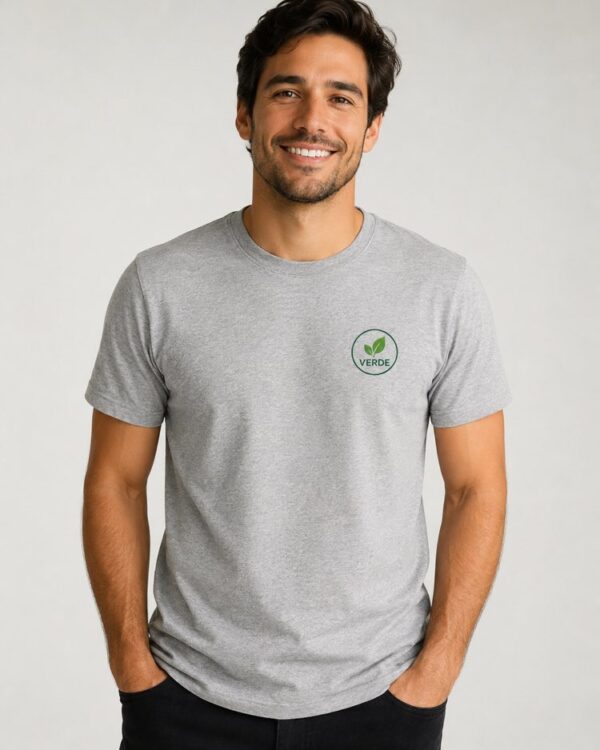
This prompt applies your logo to real surfaces — a business card, a storefront sign, a kraft bag and an apron — and shows the brand as it would live outside the screen. It works in NanoBanana, in Gemini and in ChatGPT. 1. Send the image of your logo, ideally a PNG with a transparent background, along with the prompt in the same message. 2. The AI applies the logo to four surfaces: a business card, a storefront sign, a kraft paper bag and an embroidered apron. 3. Swap the items in "surfaces" to try other pieces, such as a mug, a t-shirt or a delivery box. 4. Adjust the mood of the setting in "setting" and "props" to match the identity of the brand. 5. Keep "preserve_logo" and "do_not_redraw_logo" on so the AI does not redraw the original shapes or colours. 6. Generate the image and check that the logo came out faithfully on every surface. Tip: send the logo on a transparent background, because that is what lets the AI apply it to glass and fabric convincingly.
Works with
ChatGPT
Gemini
NanoBanana
Rate this prompt
📖 From the Prompteiro blog
See all posts →
ChatGPT or Gemini: Which Is Better for Each TaskCourses · August 5, 2026

Best ChatGPT Prompts in English: 12 to Use TodayText · August 2, 2026
Restore an Old Photo with AI: The Complete Free GuideImages · August 2, 2026

How to Write a Prompt That Works in ChatGPTCourses · August 2, 2026
AI Prompts for Work and Career: 12 That Actually HelpText · August 1, 2026
How to Write an Image Prompt That Works (With Examples)Images · August 1, 2026

What Is Artificial Intelligence: The Beginner’s GuideCourses · August 1, 2026