Prompt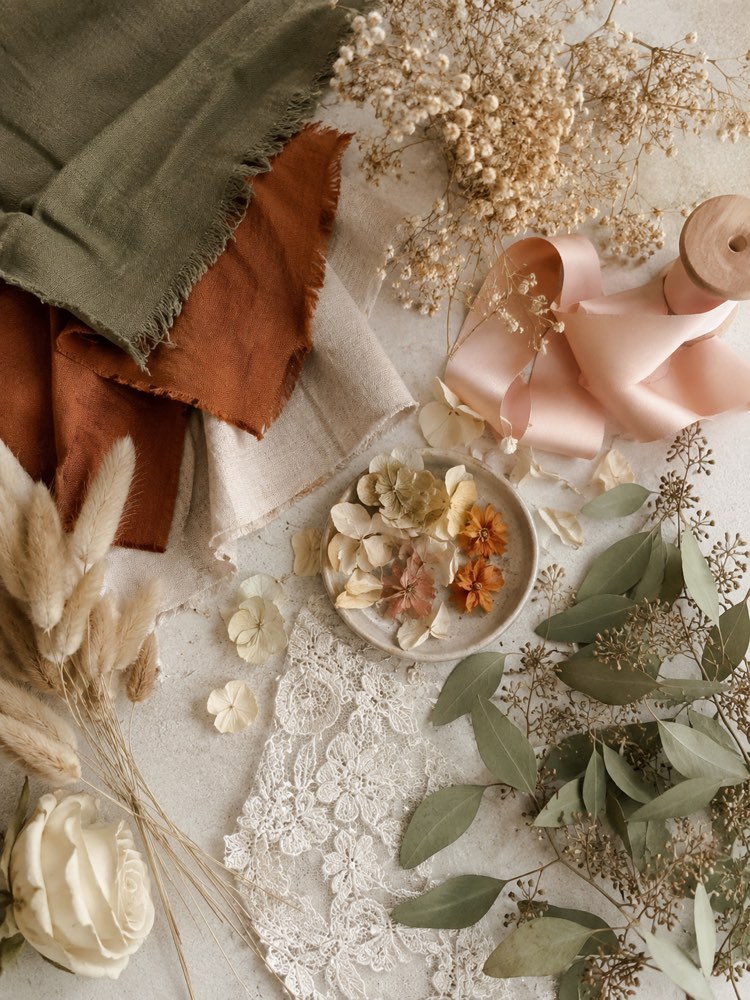
Colour Palette for the Wedding
Prompt
{
"instruction": "Generate a reference/inspiration image to show your vendor.",
"description": "A visual wedding moodboard in the form of a tidy collage, bringing together fabric swatches in earthy tones (terracotta, beige, olive green), dried flower petals, a satin ribbon, a piece of lace and foliage details. Seen from above on a light background, soft natural light, a harmonious composition that conveys a boho, cosy mood.",
"preserve": "focus on the composition and the decor",
"style": "Realistic wedding photography, soft romantic light, high definition, 3:4 (portrait) ratio.",
"negative": "no distorted faces, no text, no watermark, no real brand logos"
}
How to use
Settling on the wedding colour palette is easier with a ready-made image. This prompt generates a reference moodboard for you to align with your vendors. It works in Gemini, in NanoBanana and in ChatGPT. 1. Paste the prompt into the chat and generate the first moodboard in earthy tones. 2. Look at the fabric swatches, the dried flowers and the lace details. 3. Swap the palette in the description for pastel, monochrome or vibrant. 4. Adjust the materials by asking for more velvet, linen or foliage. 5. Generate moodboards in different styles to compare the mood of each one. 6. Download the ones that best translate the look you want. Final tip: use the chosen moodboard to align the look with every vendor; that way the colours and the style stay the same from the invitation to the decor.
Works with
ChatGPT
Gemini
NanoBanana
Rate this prompt
📖 From the Prompteiro blog
See all posts →
Job Interview Simulator With AI: How to RehearseText · September 24, 2026

Travel Itineraries With AI: The Guide That WorksText · September 21, 2026

Travel Photo Prompts: You Anywhere in the WorldImages · September 19, 2026

Professional Product Photos With AI: The GuideImages · September 15, 2026

How to Care for Plants With AI: A Black Thumb’s GuideText · September 14, 2026

Decorate Your Home With AI: From Photo to PlanImages · September 11, 2026

Try a Haircut With AI Before You Actually CutImages · September 9, 2026

Colourise Black and White Photos With AI: A GuideImages · September 7, 2026

AI Headshots for LinkedIn: The Complete GuideImages · September 4, 2026