Prompt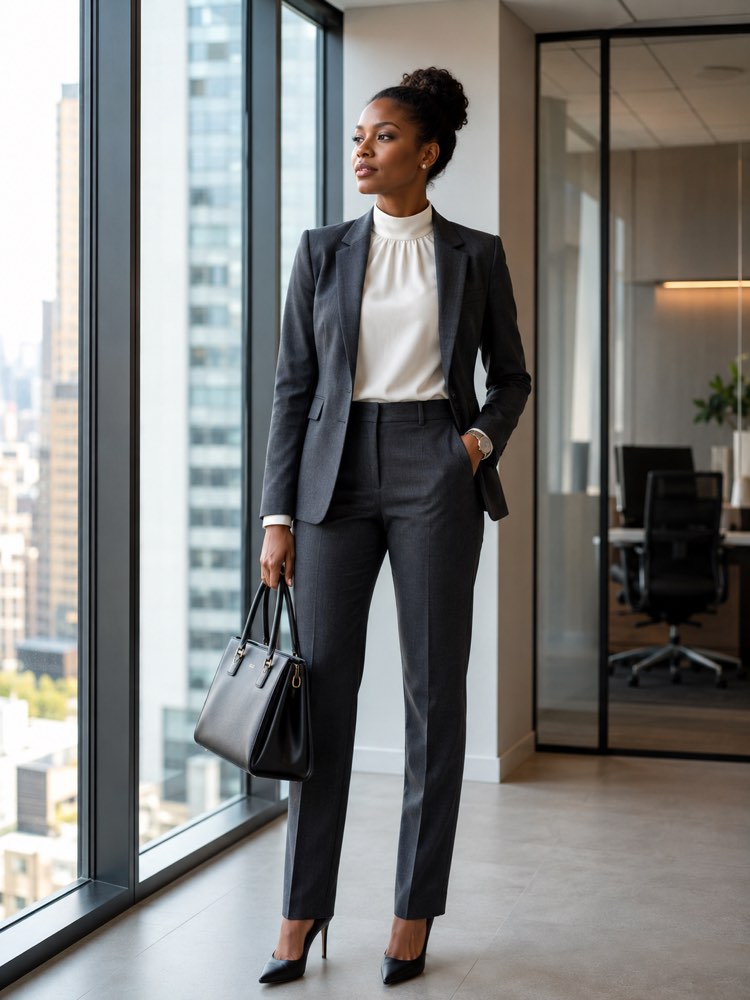
Executive Office Look in Your Photo With AI
Prompt
{
"instruction": "Send a full-body or 3/4 photo of yourself, in good light, and generate the image preserving your face and your body completely.",
"look": "dress the person in a sober, professional executive office look, a structured charcoal blazer, a white silk high-neck blouse, matching straight tailored trousers and pointed-toe black leather court shoes; add a structured leather bag, a discreet watch and small earrings, all in generic unbranded pieces",
"preserve": "keep the face, the skin tone, the hair and the body type identical; change only the clothing and the setting",
"setting": "a modern corporate office with glass walls, a city view in the background and natural light coming through the windows",
"style": "Realistic fashion photography, full body or 3/4, natural light, high definition, 3:4 ratio (portrait).",
"negative": "no distorting the face or the body, no changing the identity, no text, no watermark, no real brand logos"
}
How to use
Put together a sober, professional executive office look on your own photo using AI. The prompt runs in the generators that accept a reference photo, such as Gemini, NanoBanana and ChatGPT, and it is ideal for LinkedIn. 1. Take a full-body or 3/4 photo of yourself, in good light and with a straight posture, so the blazer falls well. 2. Send the photo along with the full text of the prompt in the image generator you chose. 3. Ask it to keep your face, your skin tone, your hair and your body identical, changing only the clothing and the setting. 4. Check the pieces: charcoal blazer, silk blouse, tailored trousers and court shoes in the glass office. 5. Change the colour of the blazer or the model of the structured bag and generate a few variations. 6. Download the version where the professional look comes out most natural. Tip: a city view in the background conveys a strong, trustworthy corporate image.
Works with
ChatGPT
Gemini
NanoBanana
Rate this prompt
📖 From the Prompteiro blog
See all posts →
Job Interview Simulator With AI: How to RehearseText · September 24, 2026

Travel Itineraries With AI: The Guide That WorksText · September 21, 2026

Travel Photo Prompts: You Anywhere in the WorldImages · September 19, 2026

Professional Product Photos With AI: The GuideImages · September 15, 2026

How to Care for Plants With AI: A Black Thumb’s GuideText · September 14, 2026

Decorate Your Home With AI: From Photo to PlanImages · September 11, 2026

Try a Haircut With AI Before You Actually CutImages · September 9, 2026

Colourise Black and White Photos With AI: A GuideImages · September 7, 2026

AI Headshots for LinkedIn: The Complete GuideImages · September 4, 2026