 Prompt
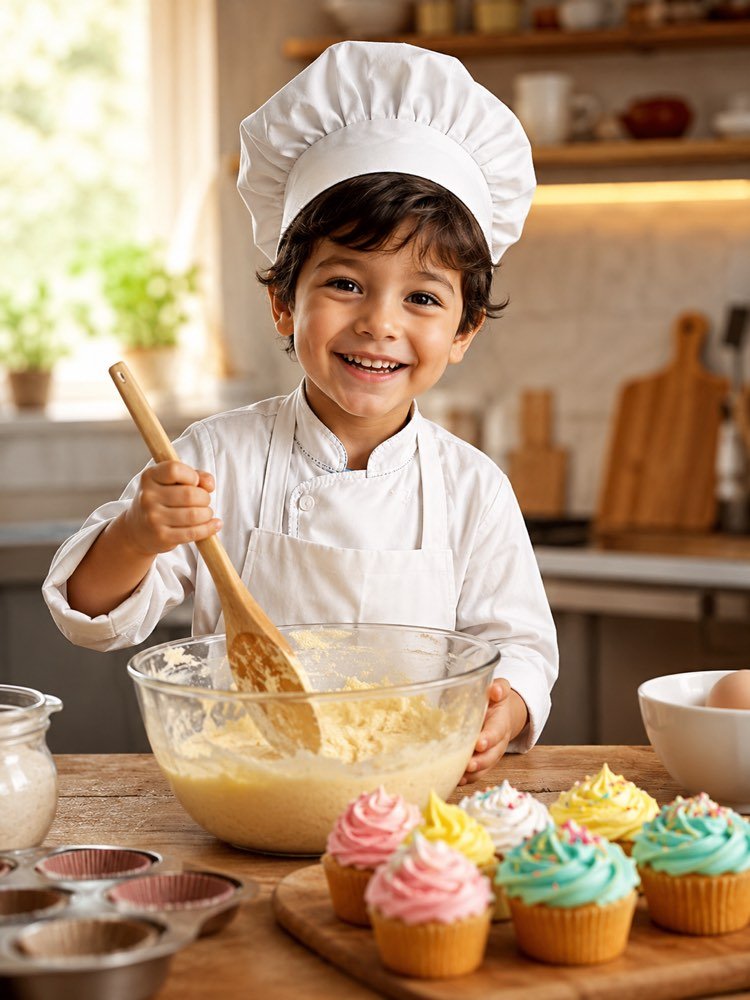
Kid Chef in the Kitchen in Your Photo
Prompt
{
"instruction": "Send a sharp photo of the child's face and generate the image preserving their features completely.",
"scene": "The child in a cosy kitchen holding a wooden spoon, with a bowl of batter and colourful cupcakes on the counter.",
"wardrobe": "white chef's jacket, tall chef's hat, clean apron.",
"style": "Realistic, warm photography, soft natural light, appetising colours, high definition, 3:4 ratio (portrait).",
"expression": "an excited smile and shining eyes",
"negative": "no distorting the face, no dangerous knives, no text, no watermark"
}
How to use
Picturing your child as a kitchen chef in the photo is fun, and it works very well in Gemini, in NanoBanana and in ChatGPT with image upload. 1. Start with a well-lit, front-facing photo, with the child's face sharp and free of hard shadows. 2. Open the tool you prefer, attach the image and paste the full prompt that is above on this page. 3. Stress how faithful the features must be, asking for their little face to stay exactly like the original photo. 4. Generate the image and check whether the chef's hat, the apron and the cupcakes came out appetising and cheerful. 5. Swap the cupcakes for the child's favourite dish and create variations with different colours on the counter. 6. Download your favourite version in high resolution and save it to the album or have it printed for the kitchen. Final tip: use the image as the invitation to an afternoon of cooking together. The game leaves the screen for real life.
Works with
ChatGPT
Gemini
NanoBanana
Rate this prompt
📋 Featured in these lists

📖 From the Prompteiro blog
See all posts →
Prompts for Learning Spanish: What to Ask DailyText · November 10, 2026

Cooking With What You Have: The MethodText · October 24, 2026

Instagram Prompts: What to Ask for Each FormatText · October 11, 2026

Party Decoration With AI: From Theme to BudgetImages · October 1, 2026

Job Interview Simulator With AI: How to RehearseText · September 24, 2026

Travel Itineraries With AI: The Guide That WorksText · September 21, 2026

Travel Photo Prompts: You Anywhere in the WorldImages · September 19, 2026

Professional Product Photos With AI: The GuideImages · September 15, 2026

How to Care for Plants With AI: A Black Thumb’s GuideText · September 14, 2026