Prompt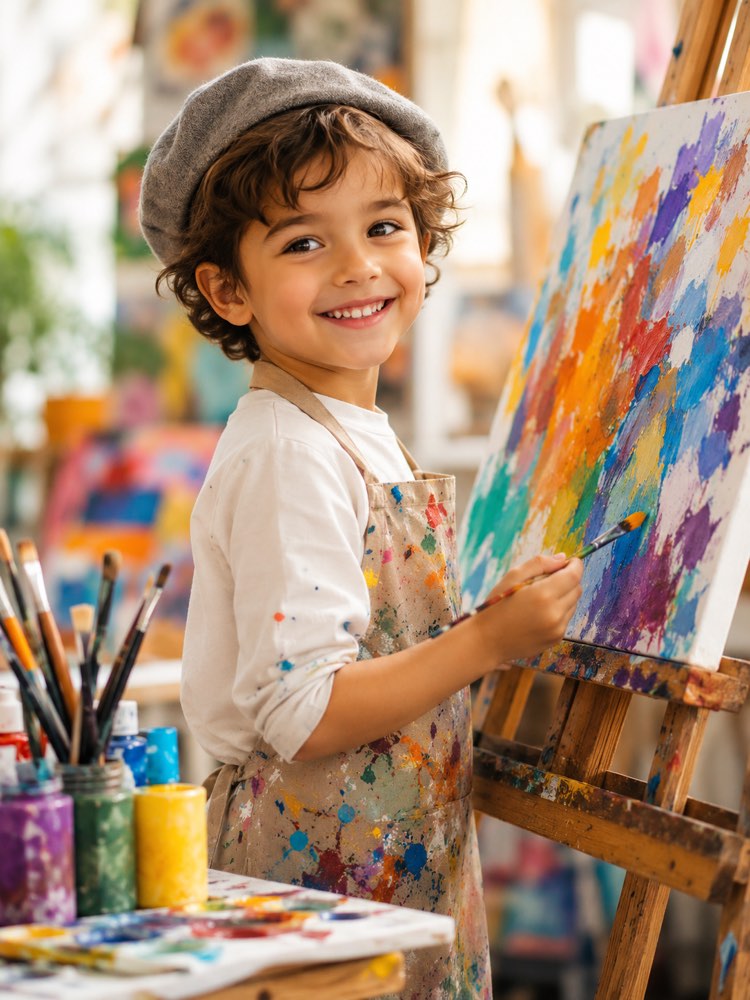
Kid Artist Painter in Your Photo
Prompt
{
"instruction": "Send a sharp photo of the child's face and generate the image preserving their features completely.",
"scene": "The child in front of an easel with a colourful canvas, surrounded by paints, brushes and cheerful splashes of colour.",
"wardrobe": "artist's apron with paint stains, light T-shirt, optional beret.",
"style": "Realistic, vibrant photography, soft studio light, colourful palette, high definition, 3:4 ratio (portrait).",
"expression": "cheerful concentration and an inspired smile",
"negative": "no distorting the face, no text, no watermark, no overly dirty mess"
}
How to use
Seeing your child as an artist painter in the photo is pure inspiration, and you do it in Gemini, in NanoBanana or in ChatGPT with image upload. 1. Set aside a well-lit, front-facing photo, with the child's face sharp and a calm background behind. 2. Open the tool you chose, attach the image and paste the full prompt that is just above on this page. 3. Stress how faithful the features must be, asking for their little face to look exactly like the photo you sent. 4. Generate the image and check whether the apron, the easel and the paint splashes came out colourful and cheerful. 5. Ask for a specific drawing on the canvas, such as the family or a pet, and create a few variations. 6. Download your favourite version in high resolution and save it to the album or have it printed for the hallway. Final tip: suggest the child paints for real afterwards. The imagined canvas becomes a work of theirs on your wall.
Works with
ChatGPT
Gemini
NanoBanana
Rate this prompt
📖 From the Prompteiro blog
See all posts →
Job Interview Simulator With AI: How to RehearseText · September 24, 2026

Travel Itineraries With AI: The Guide That WorksText · September 21, 2026

Travel Photo Prompts: You Anywhere in the WorldImages · September 19, 2026

Professional Product Photos With AI: The GuideImages · September 15, 2026

How to Care for Plants With AI: A Black Thumb’s GuideText · September 14, 2026

Decorate Your Home With AI: From Photo to PlanImages · September 11, 2026

Try a Haircut With AI Before You Actually CutImages · September 9, 2026

Colourise Black and White Photos With AI: A GuideImages · September 7, 2026

AI Headshots for LinkedIn: The Complete GuideImages · September 4, 2026