Prompt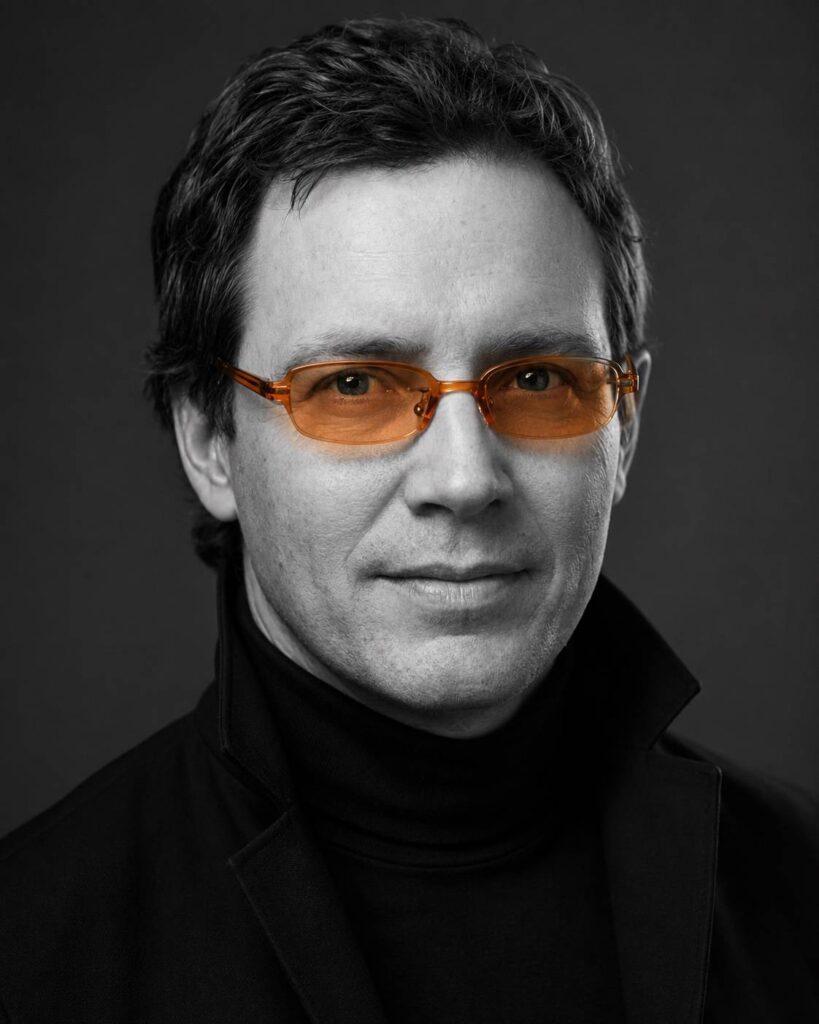
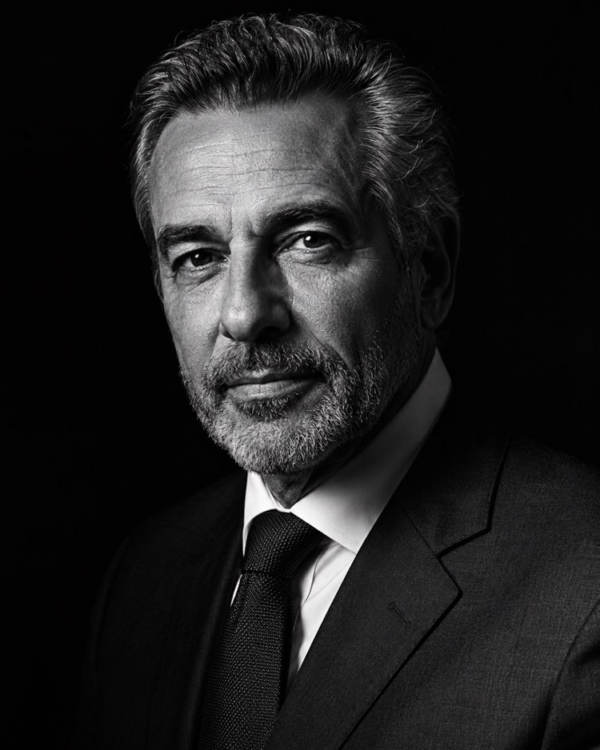
Editorial Black and White Portrait with Glasses
Prompt
{
"task": "Transform the uploaded photo into a studio editorial portrait while preserving the person's identity.",
"identity": {
"preserve_face": true,
"preserve_age": true,
"preserve_gender": true,
"preserve_ethnicity": true,
"preserve_facial_features": true,
"preserve_expression": false,
"preserve_hair": true,
"do_not_change_identity": true
},
"composition": {
"crop": "close-up head and shoulders",
"camera_angle": "straight-on",
"gaze": "looking directly into the camera",
"head_position": "centered",
"symmetry": "high",
"background": "solid dark gray seamless studio backdrop"
},
"lighting": {
"type": "soft frontal studio lighting",
"contrast": "cinematic",
"skin_texture": "natural",
"shadows": "soft and subtle",
"highlights": "controlled"
},
"color": {
"style": "selective color",
"image": "black and white",
"only_colored_element": "orange sunglasses"
},
"wardrobe": {
"top": "black tailored turtleneck",
"outerwear": "minimalist black high-collar jacket"
},
"accessories": {
"glasses": {
"frame": "semi-transparent orange acetate",
"shape": "rectangular with softly rounded corners",
"finish": "glossy",
"lenses": "amber gradient"
}
},
"mood": {
"expression": "calm, confident, serious",
"editorial": true
},
"photography": {
"camera": "professional full-frame portrait camera",
"lens": "85mm",
"aperture": "f/2.0",
"iso": 100,
"shutter_speed": "1/125s",
"focus": "eyes",
"depth_of_field": "shallow"
},
"style": {
"photorealistic": true,
"luxury_editorial": true,
"ultra_detailed": true,
"high_resolution": true,
"no_painting": true,
"no_cartoon": true,
"no_illustration": true,
"no_ai_artifacts": true
}
}
How to use
The editorial black and white portrait with the glasses picked out in colour turns your photo into a refined studio portrait in which a single element stays coloured. It works in NanoBanana, Gemini and ChatGPT. 1. Open the image tool and start a new conversation. 2. Send a front-facing photo, with your face sharp and well lit. 3. Paste the full JSON prompt in the same message as the photo. 4. Generate the portrait and check that your identity was preserved. 5. Swap "only_colored_element" to pick out another item, such as a red lipstick. 6. Adjust "wardrobe" and "lighting" and generate new variations of the portrait. Tip: the contrast between the grey background and the single point of colour is the whole secret, so choose a vivid element that really jumps out in the final image.
Works with
ChatGPT
Gemini
NanoBanana
Rate this prompt
📋 Featured in these lists

📖 From the Prompteiro blog
See all posts →
Job Interview Simulator With AI: How to RehearseText · September 24, 2026

Travel Itineraries With AI: The Guide That WorksText · September 21, 2026

Travel Photo Prompts: You Anywhere in the WorldImages · September 19, 2026

Professional Product Photos With AI: The GuideImages · September 15, 2026

How to Care for Plants With AI: A Black Thumb’s GuideText · September 14, 2026

Decorate Your Home With AI: From Photo to PlanImages · September 11, 2026

Try a Haircut With AI Before You Actually CutImages · September 9, 2026

Colourise Black and White Photos With AI: A GuideImages · September 7, 2026
Pet Photo Prompts: How to Get It Right First TimeImages · September 1, 2026