Prompt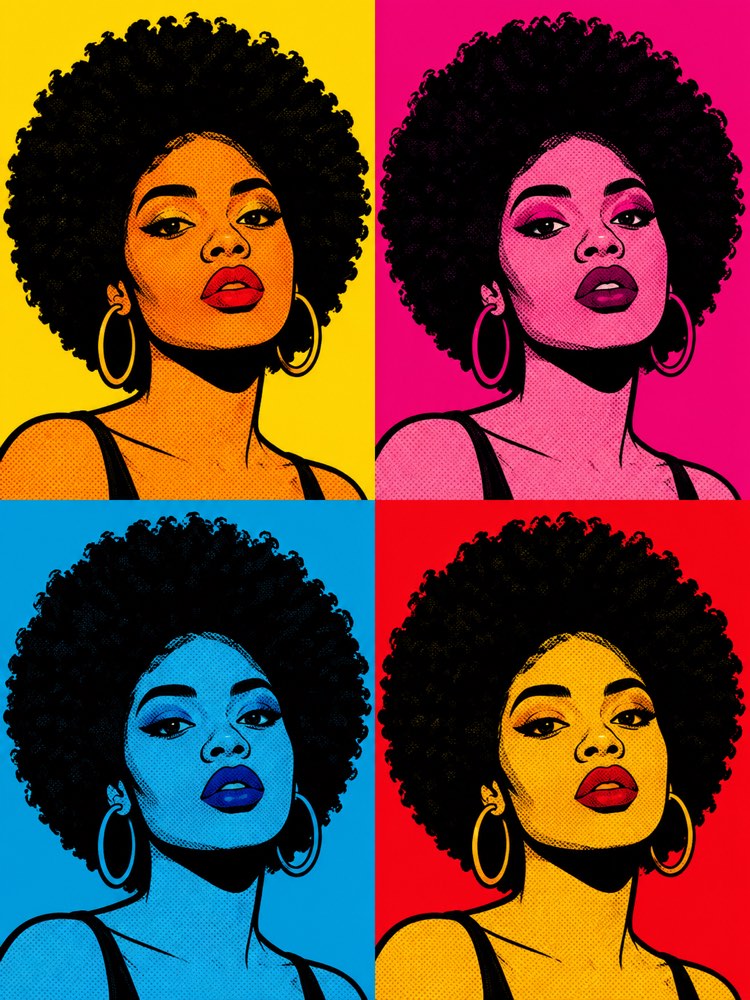
Your Photo as 1960s Pop Art
Prompt
{
"version": "1.0",
"subject": {
"reference_image": "",
"preserve_identity": true,
"preserve_face": true,
"keep_hair": true,
"keep_skin_tone": false,
"expression": "a striking, stylised expression, a direct gaze"
},
"style": {
"name": "1960s pop art, generic style of the movement",
"technique": "flat colours in plain areas, thick black outlines, shading by halftone dots like magazine print, the panel repeated in a grid of four frames with a different colour scheme in each",
"palette": "vibrant saturated primary colours — intense yellow, magenta, cyan, red and blue — bold contrasting combinations",
"texture": "retro-print benday dots, slightly misregistered colour, a silkscreen look",
"background": "flat backgrounds in loud solid colours, one per panel"
},
"composition": "a 2x2 grid of panels of the same portrait in colour variations, 3:4 format, graphic poster aesthetic",
"quality": "high-quality graphic pop art illustration, intense colours, the look of a silkscreened poster",
"negative_prompt": "realistic photography, 3D, soft pastel tones, styles of famous studios and artists, known characters, real franchises, logos, text, watermark, distorted face, deformed hands, extra limbs"
}
How to use
Want your photo in 1960s pop art style? This prompt turns your portrait into a graphic poster with thick outlines, flat colours, the halftone dots of an old magazine and the same face repeated in a grid of four coloured panels. It works in Gemini, NanoBanana and ChatGPT. 1. Choose a sharp front-facing photo of yourself, with good light on your face. 2. Send the image in the same message where you are going to paste the prompt. 3. Paste the full JSON prompt right below your photo. 4. Ask it to preserve your features completely, applying only the pop art style. 5. Generate variations by changing the colour combinations of each panel. 6. Download the final art in high resolution to print as a poster. Tip: in the composition field you adjust the grid, asking for a single panel or six frames, and you control how strong the halftone dots are.
Works with
ChatGPT
Gemini
NanoBanana
Rate this prompt
📖 From the Prompteiro blog
See all posts →
Job Interview Simulator With AI: How to RehearseText · September 24, 2026

Travel Itineraries With AI: The Guide That WorksText · September 21, 2026

Travel Photo Prompts: You Anywhere in the WorldImages · September 19, 2026

Professional Product Photos With AI: The GuideImages · September 15, 2026

How to Care for Plants With AI: A Black Thumb’s GuideText · September 14, 2026

Decorate Your Home With AI: From Photo to PlanImages · September 11, 2026

Try a Haircut With AI Before You Actually CutImages · September 9, 2026

Colourise Black and White Photos With AI: A GuideImages · September 7, 2026

AI Headshots for LinkedIn: The Complete GuideImages · September 4, 2026