 Prompt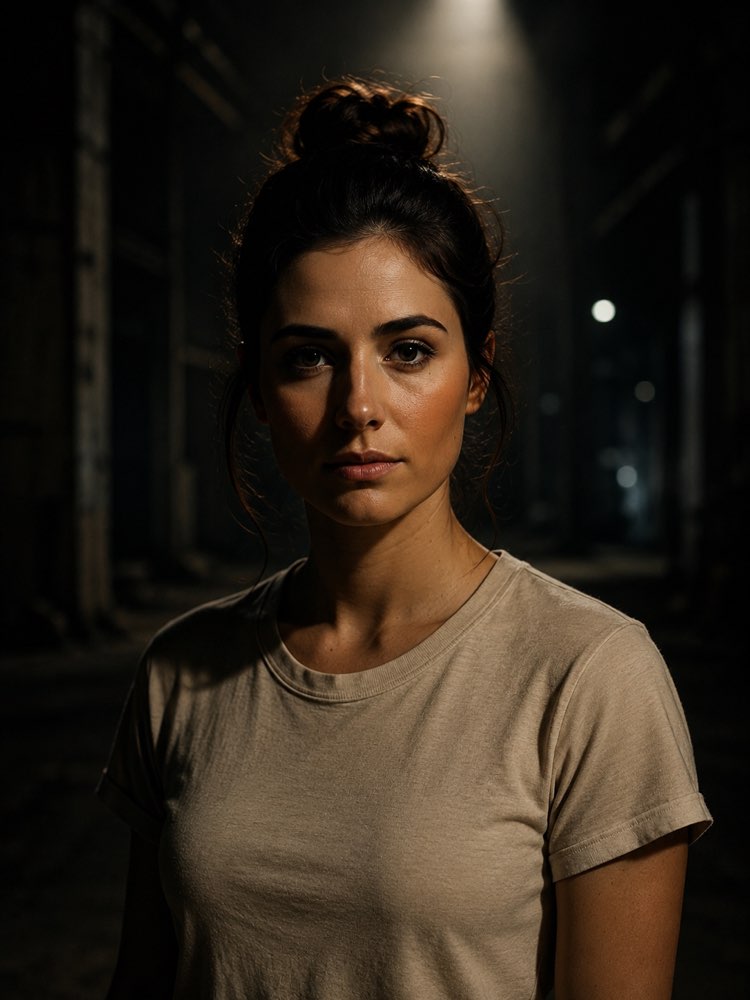
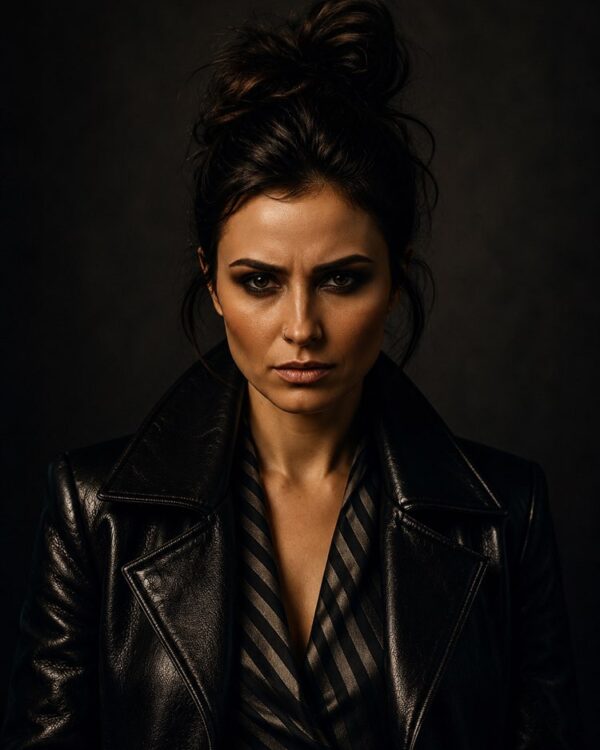
Retrato Cinematográfico com Holofote Dramático
Prompt
{
"task": "photo_transformation",
"preserve_identity": true,
"input_image": {
"subject": "person",
"use_face_as_reference": true,
"preserve": {
"facial_features": true,
"face_shape": true,
"skin_texture": true,
"eye_shape": true,
"nose": true,
"mouth": true,
"eyebrows": true,
"hairline": true,
"identity": true
}
},
"style": {
"genre": "cinematic portrait",
"mood": "dark, introspective, mysterious, realistic",
"aesthetic": "neo-noir",
"color_palette": [
"deep blacks",
"muted olive",
"warm skin tones",
"charcoal gray",
"soft amber highlights"
]
},
"composition": {
"framing": "vertical portrait",
"aspect_ratio": "2:3",
"crop": "mid-torso",
"camera_angle": "eye level",
"subject_position": "centered",
"symmetry": "slightly symmetrical",
"headroom": "moderate",
"background_visibility": "environment visible but heavily blurred",
"depth_of_field": "very shallow"
},
"pose": {
"head_direction": "straight toward camera",
"body_orientation": "slightly turned",
"expression": "neutral, calm, serious",
"eyes": "looking directly into the lens",
"mouth": "closed",
"shoulders": "relaxed"
},
"hair": {
"style": "messy bun",
"loose_strands": true,
"natural_texture": true
},
"wardrobe": {
"top": {
"type": "basic crew-neck t-shirt",
"color": "light beige",
"style": "minimalist",
"fit": "casual"
},
"accessories": "none"
},
"environment": {
"location": "dark urban alley or industrial corridor",
"background": {
"type": "out-of-focus concrete architecture",
"lighting": "minimal ambient light",
"detail_level": "low",
"bokeh": true
},
"atmosphere": "quiet, cinematic night scene"
},
"lighting": {
"style": "single overhead spotlight",
"direction": "top-down",
"quality": "soft but directional",
"contrast": "high",
"ratio": "dramatic",
"shadows": {
"deep": true,
"soft_edges": true,
"face_half_shadow": true
},
"highlights": {
"forehead": true,
"nose_bridge": true,
"cheekbones": true
},
"rim_light": "very subtle",
"ambient_fill": "minimal",
"color_temperature": "neutral warm"
},
"camera": {
"camera_type": "full-frame mirrorless",
"lens": "85mm prime",
"aperture": "f/1.8",
"shutter_speed": "1/200",
"iso": 640,
"focus": "eyes perfectly sharp"
},
"rendering": {
"photorealistic": true,
"cinematic": true,
"natural_skin": true,
"realistic_textures": true,
"subtle_filmic_grain": true,
"micro_contrast": true,
"natural_color_grading": true,
"no_beauty_filter": true
},
"quality": {
"resolution": "8k",
"sharpness": "very high",
"dynamic_range": "high",
"noise": "minimal",
"compression": "none",
"professional_photo": true
},
"negative_prompt": [
"anime",
"illustration",
"painting",
"cgi",
"3d render",
"cartoon",
"low resolution",
"blurry",
"soft focus",
"overexposed",
"underexposed",
"flat lighting",
"harsh flash",
"multiple light sources",
"extra people",
"cropped face",
"duplicate face",
"deformed anatomy",
"bad proportions",
"low detail skin",
"plastic skin",
"oversmoothing",
"beauty filter",
"heavy makeup",
"artifacts",
"text",
"watermark",
"logo",
"frame",
"oversaturated colors",
"strong HDR",
"lens distortion",
"motion blur",
"noise",
"fake bokeh"
]
}
Como usar
O retrato cinematográfico com holofote dramático transforma a sua foto em uma imagem neo-noir, com luz vinda de cima e fundo urbano desfocado, e funciona no NanoBanana, no Gemini ou no ChatGPT. 1. Envie a foto da pessoa junto do prompt na mesma mensagem. 2. A IA aplica o clima escuro e realista, preservando identidade, traços faciais e expressão. 3. Ajuste "lighting" para controlar a direção do holofote, o contraste e as sombras no rosto. 4. Use "environment" e "composition" para mudar o cenário e o enquadramento. 5. Altere "wardrobe", "pose" e "camera" para variar roupa, postura e a lente simulada. 6. Aumente "quality" e gere o retrato final. Dica: fotos de frente e com o rosto nítido reforçam o efeito de holofote e deixam o olhar mais expressivo.
Avalie este prompt
📖 Do blog do Prompteiro
Ver todos os posts →
Receita com o que tem em casa: o método certoTexto · 24 de outubro de 2026

Prompt para Instagram: o que pedir em cada formatoTexto · 11 de outubro de 2026
Prompt para foto de criança: o guia honestoImagens · 4 de outubro de 2026

Decoração de festa com IA: do tema ao orçamentoImagens · 2 de outubro de 2026

Simulador de entrevista de emprego com IATexto · 24 de setembro de 2026

Roteiro de viagem com IA: o guia que evita o erroTexto · 21 de setembro de 2026
Prompt para foto de viagem: você em qualquer lugarImagens · 19 de setembro de 2026

Foto profissional de produto com IA: o guiaImagens · 15 de setembro de 2026

Como cuidar de plantas com IA: o guia de quem mataTexto · 14 de setembro de 2026